Xterra Crank and Cam Sensor Replacement
Step-by-step crank and cam sensor replacement for all Xterra engines (2.4/3.3/4.0L): OEM part numbers, P0335/P0340/P0345 diagnosis, and torque specs.

One-tap dark, screen-awake, step-by-step reading for hands-on work.
Nissan Xterra Crank and Cam Sensor Replacement (Complete Guide)
Is your trusty Nissan Xterra suddenly stalling, running rough, or refusing to start? Before you start fearing a major engine repair, the culprit might be two small but vital components: the crankshaft and camshaft position sensors. These sensors are notorious failure points on both first and second-generation Xterras, and when they go bad, they can bring your SUV to a grinding halt. The good news is that with the right tools and a bit of patience, this is a repair you can absolutely tackle in your own driveway.
This comprehensive guide will walk you through everything you need to know about a Nissan Xterra crank cam sensor replacement. We'll cover the symptoms, diagnostic codes, required tools, and detailed, engine-specific instructions. Whether you're driving a 1st-Gen with the 2.4L or 3.3L engine, or a 2nd-Gen with the powerful 4.0L V6, you'll find the information you need to get your Xterra running smoothly again and save hundreds of dollars in labor costs.
Telltale Signs: Recognizing Bad Crank and Cam Sensors
Before you start turning wrenches, it's crucial to confirm that your sensors are indeed the problem. These sensors are the eyes and ears of your engine's computer (ECU), telling it the precise position of the crankshaft and camshafts. When this data is lost or erratic, the engine's timing and fuel delivery fall into disarray, leading to a host of noticeable performance issues.
Here are the most common symptoms and the diagnostic trouble codes (DTCs) they trigger:
- Common Symptoms:
- Engine stalls unexpectedly, especially at low speeds or idle
- Rough or erratic idling
- Difficulty starting the engine, or a no-start condition
- Sputtering or hesitation during acceleration
- Noticeable decrease in fuel efficiency
- Intermittent engine surging
- An illuminated Check Engine Light (CEL) on your dashboard
- Key OBD-II Codes:
- P0335: Crankshaft Position Sensor "A" Circuit Malfunction
- P0340: Camshaft Position Sensor "A" Circuit Malfunction (Bank 1)
- P0345: Camshaft Position Sensor "A" Circuit Malfunction (Bank 2)
Important Note: Code P0340 indicates a fault with the camshaft sensor on Bank 1 (typically the passenger side on V6 models), while P0345 points to Bank 2 (the driver's side). A P0335 code specifically targets the crankshaft sensor.
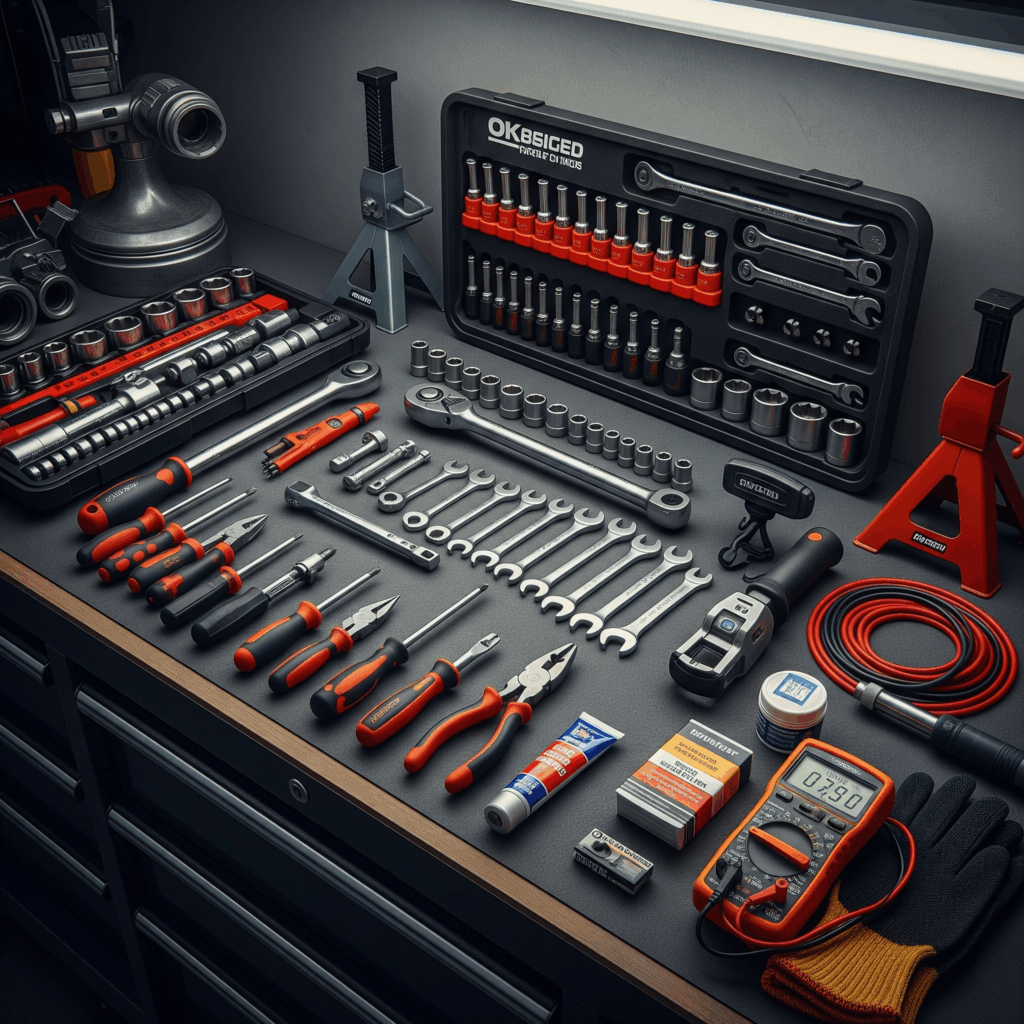
Essential Tools and Materials for the Job
Gathering your tools beforehand makes the job go much smoother. While the specific tools may vary slightly by engine, this list covers the essentials you'll need for nearly any Xterra sensor replacement.
- Hand Tools:
- Complete metric socket set (8mm - 19mm)
- Ratchet with various extensions and a swivel joint
- Torque wrench (in-lb and ft-lb)
- Metric open-end/box wrenches (a 10mm is essential)
- Flathead and Phillips screwdrivers
- Needle-nose pliers
- Plastic trim removal tools (for clips and connectors)
- Diagnostic & Electrical Tools:
- OBD-II Scan Tool or Code Reader
- Digital Multimeter or an oscilloscope for advanced testing
- Vehicle Support & Safety:
- Floor jack and a pair of sturdy jack stands (or vehicle ramps)
- Safety glasses and mechanic's gloves
- Materials:
- New camshaft and/or crankshaft position sensors
- Dielectric grease for electrical connectors
- Anti-seize compound (for sensor mounting bolts)
- Penetrating oil (for stubborn bolts)
Finding the Right Sensors: Parts and Specs by Engine
Nissan used three different engines across the Xterra's lifespan, and each has a unique sensor configuration. Using the correct OEM or high-quality aftermarket part is critical for a lasting repair. Always verify the part number for your specific year and model before purchasing.
1st-Gen 2.4L KA24DE (2000–2004)
The 4-cylinder engine uses one of each sensor, with the cam sensor located inside the distributor.
- Camshaft Position Sensor: Located inside the distributor.
- OEM Part Number: 23731-JA11B
- Aftermarket: Denso, NGK/NTK, or Beck/Arnley equivalents
- Crankshaft Position Sensor: Mounted on the transmission bellhousing.
- OEM Part Number: 23731-3S500
- Aftermarket: Denso, NGK/NTK, or Beck/Arnley equivalents
1st-Gen 3.3L VG33E & VG33ER V6 (2000–2004)
Like the 2.4L, the 3.3L V6 (both naturally aspirated and supercharged) houses its cam sensor in the distributor.
- Camshaft Position Sensor: Located inside the distributor.
- OEM Part Number: 23731-JA11B
- Note: The same sensor is used for both the VG33E and supercharged VG33ER.
- Crankshaft Position Sensor: Located on the engine block near the transmission bellhousing.
- OEM Part Number: 23731-3S500
2nd-Gen 4.0L VQ40DE V6 (2005–2015)
The modern VQ40DE engine does away with the distributor and uses two distinct camshaft sensors (one for each cylinder head) and one crankshaft sensor.
- Camshaft Position Sensors (x2): Mounted on the rear of each cylinder head.
- Bank 1 (Passenger Side): OEM #23731-AL61A (or superseded AL61E)
- Bank 2 (Driver Side): OEM #23731-AL616 (or superseded AL61E)
- Crucial: These sensors are bank-specific due to their orientation and pinout. Do not mix them up.
- Crankshaft Position Sensor: Located on the lower engine block, often near the oil pan.
- OEM Part Number: 23731-EA20C (later updated to EA20D)
- Aftermarket: Denso, NGK/NTK, or Beck/Arnley equivalents
| Engine Model | Cam Sensor Location | Crank Sensor Location |
|---|---|---|
| 2.4L KA24DE | Inside Distributor | Transmission Bellhousing |
| 3.3L VG33E/ER | Inside Distributor | Engine Block / Bellhousing |
| 4.0L VQ40DE | Rear of Cylinder Heads (x2) | Lower Engine Block |
Step-by-Step Nissan Xterra Crank and Cam Sensor Replacement Guide
With your parts and tools ready, it's time to get to work. Remember that sensor bolts are small and require low torque values - typically around 70-90 in-lb (8-10 Nm). Over-tightening can damage the new sensor.
1. Safety and Preparation
First things first: safety. Park your Xterra on a level surface, engage the parking brake, and disconnect the negative terminal from your battery to prevent any electrical mishaps. If you're working on a crank sensor, you'll need to safely lift the front of the vehicle with a jack and secure it on jack stands. Never work under a vehicle supported only by a jack.
2. Camshaft Sensor Replacement
The process for replacing the cam sensor varies significantly between generations.
1st-Gen (KA24DE & VG33E/ER) Distributor-Mounted Sensor
- Locate the Distributor: Find the distributor at the back of the engine.
- Remove Cap & Rotor: Disconnect the ignition coil connector and remove the distributor cap.
- Mark Position: This is the most critical step. Before removing anything else, use a marker or paint pen to make alignment marks on the distributor housing and the engine block. Also, note the exact position of the rotor. If the distributor is reinstalled incorrectly, your engine timing will be off, and it won't run.
- Access Sensor: Unplug the sensor's electrical connector. The sensor is held in place by small screws inside the distributor body.
- Install New Sensor: Carefully remove the old sensor and install the new one.
- Reassemble: Reinstall the rotor and cap, ensuring your alignment marks are perfectly lined up. Reconnect the battery. You may need to verify and adjust ignition timing after this procedure.
2nd-Gen (VQ40DE) Head-Mounted Sensors
- Locate Sensors: The two cam sensors are on the very back of the engine, screwed into the rear of each cylinder head.
- Create Access: You will likely need to remove the engine cover and possibly the intake air ducting to get enough room to work. Access is tight.
- Disconnect and Remove: Press the tab on the electrical connector to unplug it. Use a 10mm socket or wrench to remove the single mounting bolt. Gently twist and pull the sensor out of the head.
- Install New Sensor: Lightly coat the O-ring on the new sensor with fresh engine oil. Insert it into the head, making sure it seats fully.
- Torque and Reconnect: Install the mounting bolt and torque it to spec (approx. 8-10 Nm). Reconnect the electrical connector until it clicks. Repeat the process for the other bank if you are replacing both.
3. Crankshaft Sensor Replacement (All Engines)
The crankshaft sensor is almost always accessed from underneath the vehicle.
- Locate the Sensor:
- 1st-Gen (KA24DE/VG33E): Look on the driver's side of the transmission bellhousing, where the engine and transmission meet.
- 2nd-Gen (VQ40DE): Find it on the lower portion of the engine block, often near the oil pan and crankshaft pulley.
- Disconnect and Remove: The space will be tight. Use a long extension and a 10mm socket to reach the mounting bolt. Unplug the electrical connector first, then remove the bolt.
- Install New Sensor: Clean the mounting surface to ensure a good seal. Install the new sensor, making sure any O-ring is properly seated.
- Torque and Reconnect: Tighten the mounting bolt to spec and securely plug in the electrical connector.
Nissan Xterra Crank & Cam Sensor Locations, Part Numbers
| Xterra Engine | Years & Models | Cam Sensor Location | Crank Sensor Location | OEM Part Numbers | Typical Fault Codes | Replacement Notes |
|---|---|---|---|---|---|---|
| 2.4L KA24DE | 2000–2004 (1st Gen) | Inside Distributor | Transmission Bellhousing | Cam: 23731-JA11B Crank: 23731-3S500 | P0335, P0340 | Cam sensor in distributor; careful with timing |
| 3.3L VG33E/ER | 2000–2004 (1st Gen) | Inside Distributor | Engine Block/Bellhousing | Cam: 23731-JA11B Crank: 23731-3S500 | P0335, P0340, P0345 | Same cam sensor as KA24DE, V6-specific locations |
| 4.0L VQ40DE | 2005–2015 (2nd Gen) | Rear of Cylinder Heads (x2) | Lower Engine Block (near oil pan) | Cam: 23731-AL61A/AL616 Crank: 23731-EA20C/EA20D | P0335, P0340, P0345 | Two separate bank sensors; do not mix them up |
Testing and Verification: Did the Fix Work?
Once everything is reassembled, it's time for the moment of truth.
- Reconnect the Battery: Attach the negative battery terminal.
- Clear the Codes: Use your OBD-II scanner to erase the stored fault codes (P0335, P0340, etc.).
- Start the Engine: Turn the key. The engine should start more easily and idle smoothly. The Check Engine Light should remain off.
- Test Drive: Take the Xterra for a short drive. Pay attention to acceleration and idle quality. The hesitation and stalling issues should be gone.
- Final Scan: After the test drive, perform one last scan to ensure no new or pending codes have appeared.
Troubleshooting Common Issues
If your Xterra is still acting up after the replacement, don't panic. Go back and check these common trouble spots.
- Wiring Harness: The problem might not have been the sensor at all, but the wiring leading to it. Inspect the pigtail connector and harness for any signs of corrosion, frayed wires, or damage. A "wiggle test" on the harness while the engine is running can sometimes reveal an intermittent connection.
- Incorrect Parts: For the VQ40DE engine, ensure you installed the correct bank-specific cam sensor on each side. Mixing them up will cause the engine to run poorly and throw codes for the wrong bank.
- Distributor Timing (1st-Gen): If you replaced the distributor-mounted cam sensor and the engine won't start or runs terribly, your distributor timing is almost certainly off. You will need to reset the engine to Top Dead Center (TDC) on cylinder #1 and reinstall the distributor correctly.
Cost Breakdown: DIY vs. a Mechanic
One of the biggest motivations for DIY repair is the cost savings, and this job is a perfect example.
- Parts Cost:
- OEM Sensors: $60 - $150 each
- Aftermarket Sensors: $15 - $50 each
- Labor Cost:
- A professional shop will charge for 1-2 hours of labor, which can easily be $150 - $300 or more.
By doing this yourself, you can replace all the necessary sensors with high-quality aftermarket parts for less than the cost of labor alone at a dealership. The total savings can easily exceed $300.
Pro Tips & Tricks for a Flawless Repair
Here are a few extra tips from experienced mechanics to make your Nissan Xterra crank cam sensor replacement go even better.
- Clean the Mating Surface: Before installing a new sensor, use a clean, lint-free rag to wipe down the mounting hole and the surface on the engine block or head. Debris can prevent the sensor from seating correctly, affecting its reading.
- Use Dielectric Grease: Apply a small dab of dielectric grease to the inside of the electrical connector before plugging it into the new sensor. This helps prevent moisture and corrosion from causing connection problems down the road.
- The "Twist and Pull" Technique: Old sensors, especially the crank sensor, can be stubborn to remove due to a swollen O-ring. After removing the bolt, gently grip the sensor head with pliers and twist it back and forth while pulling outward to break the seal.
- Take a Picture: Before you unplug or unbolt anything, especially around the distributor or the tightly packed rear of the VQ40DE engine, snap a quick photo with your phone. This gives you a perfect reference for how wiring should be routed and how components should be oriented during reassembly.
FAQ - Crank and Cam Sensor Replacement
- What are the symptoms of a failing crankshaft or camshaft sensor on a Nissan Xterra?
- Common symptoms include unexpected engine stalls, rough or erratic idling, difficulty starting, sputtering during acceleration, decreased fuel efficiency, intermittent surging, and an illuminated Check Engine Light.
- What diagnostic codes indicate crank or cam sensor problems?
- Key OBD-II codes: P0335 (crankshaft sensor circuit), P0340 (camshaft sensor Bank 1), and P0345 (camshaft sensor Bank 2).
- What tools are needed for replacing these sensors?
- Essential tools include a metric socket set, ratchet with extensions, torque wrench, open-end wrenches, screwdrivers, pliers, OBD-II code reader, multimeter, jack stands, and safety gear.
- Which sensor part numbers fit my engine?
- It depends on the engine:
- 2.4L KA24DE: Cam sensor – 23731-JA11B; Crank sensor – 23731-3S500
- 3.3L VG33E/ER: Cam sensor – 23731-JA11B; Crank sensor – 23731-3S500
- 4.0L VQ40DE: Cam sensors – 23731-AL61A/-AL616; Crank sensor – 23731-EA20C (or EA20D)
- It depends on the engine:
- Where are the cam and crank sensors located?
- 1st-Gen 2.4L/3.3L: Cam sensor inside the distributor, crank sensor at the bellhousing.
- 2nd-Gen 4.0L: Cam sensors at rear of cylinder heads, crank sensor on lower engine block near oil pan.
- How do I replace a distributor-mounted cam sensor?
- Remove the distributor cap and rotor, mark their positions, unplug the sensor, replace it, and reassemble, making sure alignment marks are correctly matched.
- How do I replace a 4.0L (VQ40DE) head-mounted cam sensor?
- Remove any obstructions, disconnect the electrical connector, unscrew and remove the sensor, lightly oil the O-ring on the new sensor, install, torque, and reconnect.
- What should I do after replacing the sensors?
- Reconnect the battery, clear codes using an OBD-II scanner, start the engine, perform a test drive, and run a final diagnostic scan.
- What if the problem persists after replacement?
- Check the wiring harness for damage, ensure correct sensor installation, and (for distributor types) verify distributor timing is accurate.
- How much can I save by doing this DIY instead of using a mechanic?
- You can save over $300 - OEM sensors run $60–$150 each, aftermarket $15–$50, while mechanic labor is typically $150–$300 extra.
Conclusion: Take Control of Your Xterra's Health
A failing crankshaft or camshaft position sensor can be a frustrating and debilitating problem for any Nissan Xterra owner. The symptoms of stalling, rough running, and no-starts can make your reliable SUV feel anything but. However, armed with this guide, you now have the knowledge and confidence to diagnose the issue, source the correct parts, and perform the replacement yourself.
By investing a few hours of your time and a fraction of the cost of a shop repair, you can restore your Xterra's performance and reliability. This is more than just a repair; it's an opportunity to better understand your vehicle and gain the satisfaction of a job well done. So grab your tools, clear your weekend, and get ready to bring your Xterra back to life.